
Views
You pick a view in View Mode in the 3D Viewport’s header, in the viewport’s View menu, or in the View panel of the sidebar’s HeatmapPilot tab. Each viewport shows its own view. In Quad View, the panel reads the perspective quarter.
The four views per pixel update once you stop moving the viewport. While it moves, you see the scene as Blender draws it. On 5 million triangles a view is back within about 2 seconds; over 10 million triangles in view, each update takes a few seconds.
Each view has a legend at the bottom left of the viewport. Green is on the budget, red is over it and white is far over it.
Triangle Density
Section titled “Triangle Density”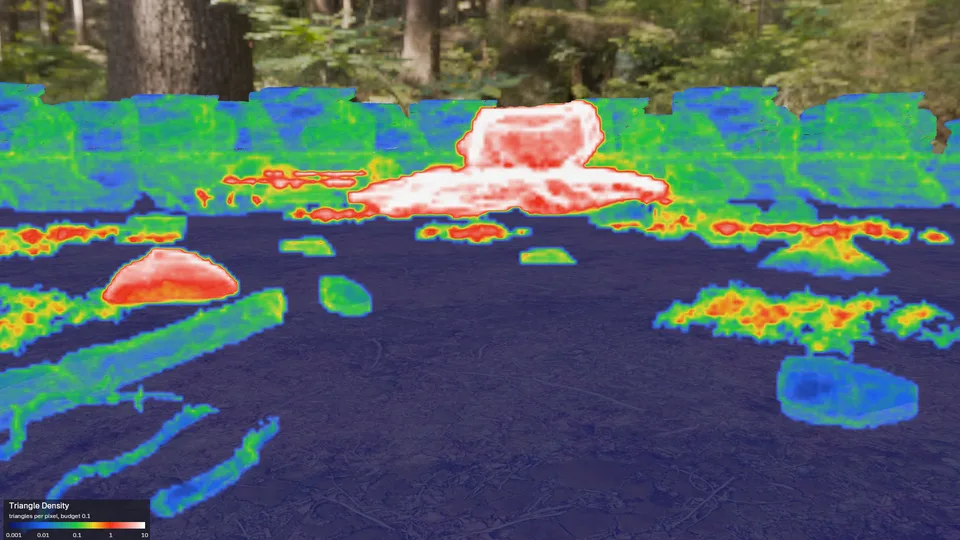
How many triangles fall on each pixel. Many triangles on few pixels cost the graphics card time and add nothing you can see: that is what levels of detail are for.
- Dark blue: a hundred times under the budget. Large triangles, which is fine.
- Green: on the Triangles per Pixel budget.
- Red: ten times over it. White: a hundred times over.
HeatmapPilot counts every triangle in front of the camera, also the ones behind other objects, as the engines’ views do. It counts in tiles of 8 by 8 pixels. In the preferences you pick whether it blends between the tiles or shows each one as a block.
Use it when a scanned asset or a dense sculpt sits far from the camera. Its pixels turn red and white first.
Overdraw
Section titled “Overdraw”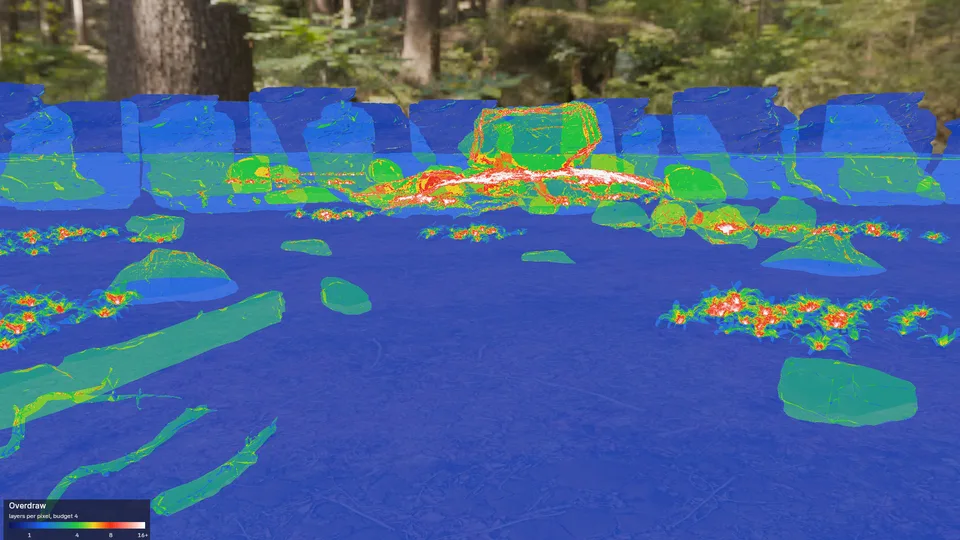
How many surfaces lie on each pixel, one behind the other, hidden ones included, as the Overdraw views of Unity and Godot count them.
- Green: the Layers budget.
- Red: twice the budget. White: four times.
What a layer costs depends on its material. A game engine draws solid surfaces with a depth test, so a solid surface behind another one costs its triangles but is not shaded. Each see-through surface is shaded on every pixel it covers: glass, particles, and alpha-clipped cards such as ferns and leaves. Red over fern cards is shading time; red where solid rocks stand behind rocks is mostly not.
Use it on foliage, particles, glass and anything else you can see through.
Shader Complexity
Section titled “Shader Complexity”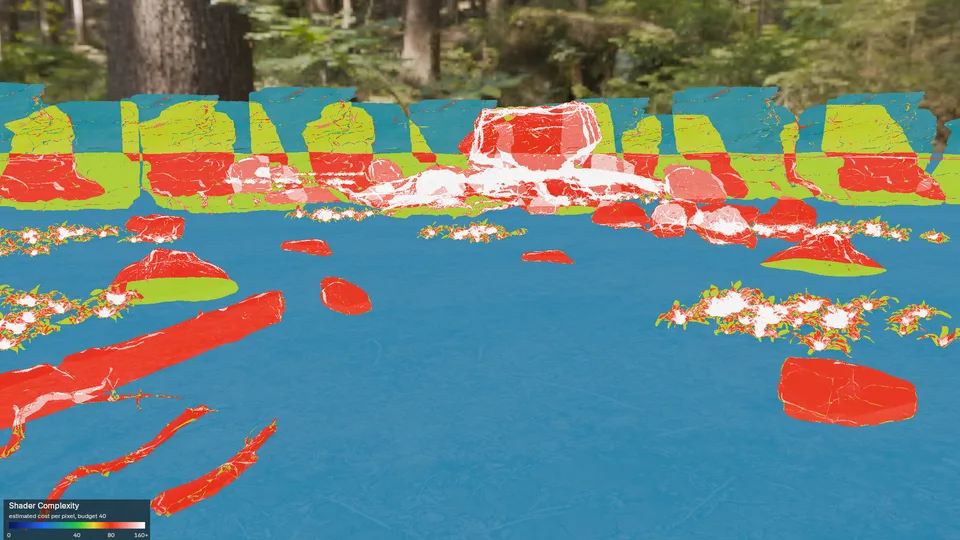
An estimate of the shading cost on each pixel, from each material’s node tree. HeatmapPilot adds up the nodes from the Material Output back: an image texture costs less than a noise texture, a Principled BSDF with Coat more than one without. Surfaces behind others add their cost too, so where solid surfaces stand behind each other the view reads higher than an engine shades.
- Green: the Shader Cost budget.
- Red: twice the budget. White: four times.
The cost is an estimate to compare materials with, not a timing. On six test materials from plain to layered, its order matched EEVEE’s render times but for one close pair.
Texel Density
Section titled “Texel Density”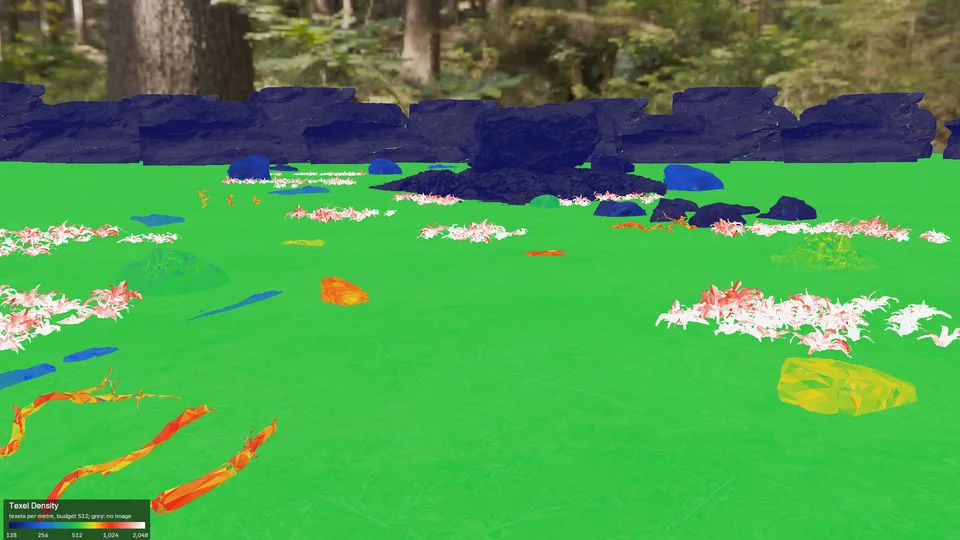
How many texels of a material’s image fall on each metre of surface. Too few look blurry up close, too many waste memory.
- Green: the Texels per Metre budget.
- Blue: half of it or less. Red: twice it or more.
- Grey: no image or no UV map.
A material with several images uses its largest. Texels per metre follow your scene’s Unit Scale.
Triangles per Object
Section titled “Triangles per Object”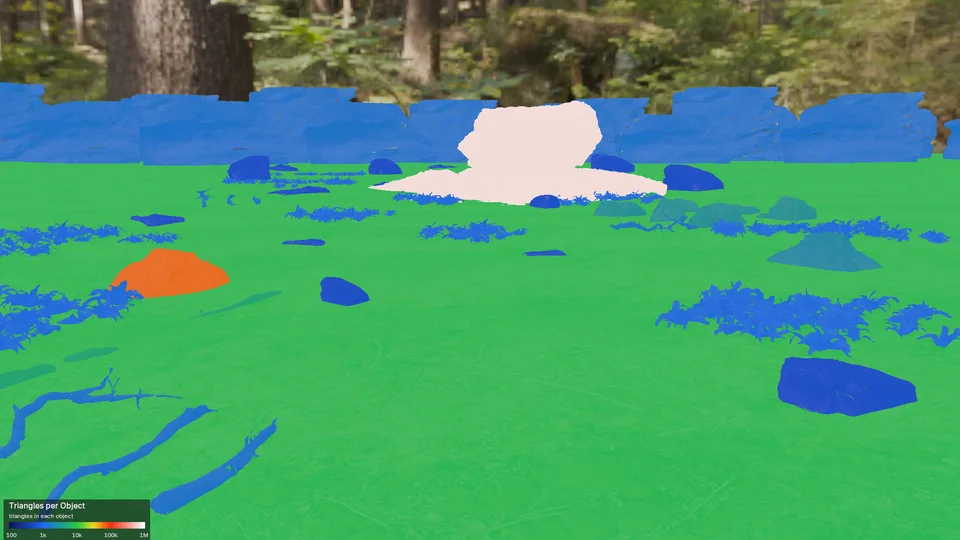
Each object in one colour, by how many triangles it has: green at 10,000, red at 100,000. It ignores the budget and the distance to the camera.
Draw Calls per Object
Section titled “Draw Calls per Object”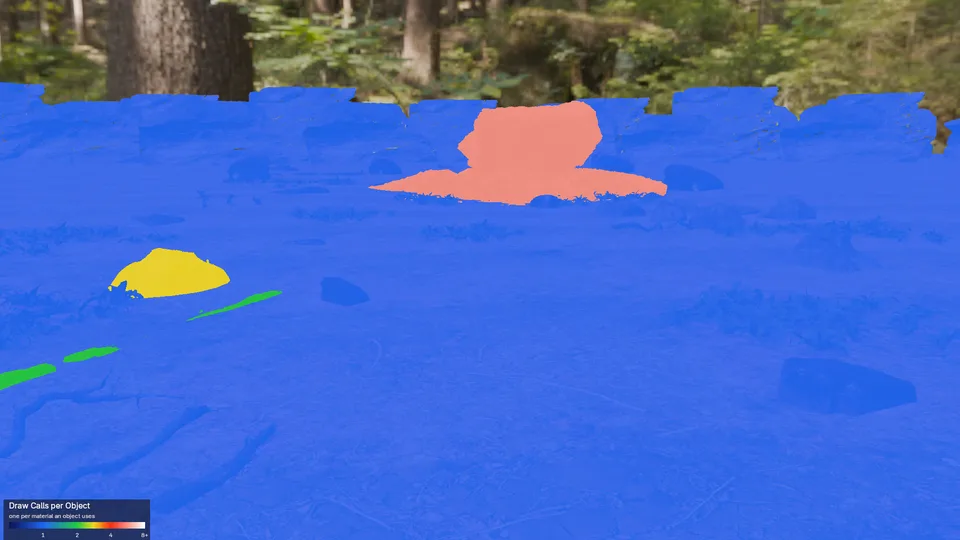
Each object in one colour, by its draw calls: one for each material it uses. Engines that batch objects together make fewer calls than this.
Tips in the View panel’s header opens the notes that apply to the view you picked and to your scene, such as the Unit Scale for Texel Density.