Skip to content
HeatmapPilot is coming soon to Superhive.

See what your scene costs, pixel by pixel.

HeatmapPilot draws the debug views of a game engine over Blender's viewport. Triangle Density, Overdraw, Shader Complexity and Texel Density show where a scene is too heavy for its platform, before you export it.

One scene, four views

A game level in Blender, through the player’s camera

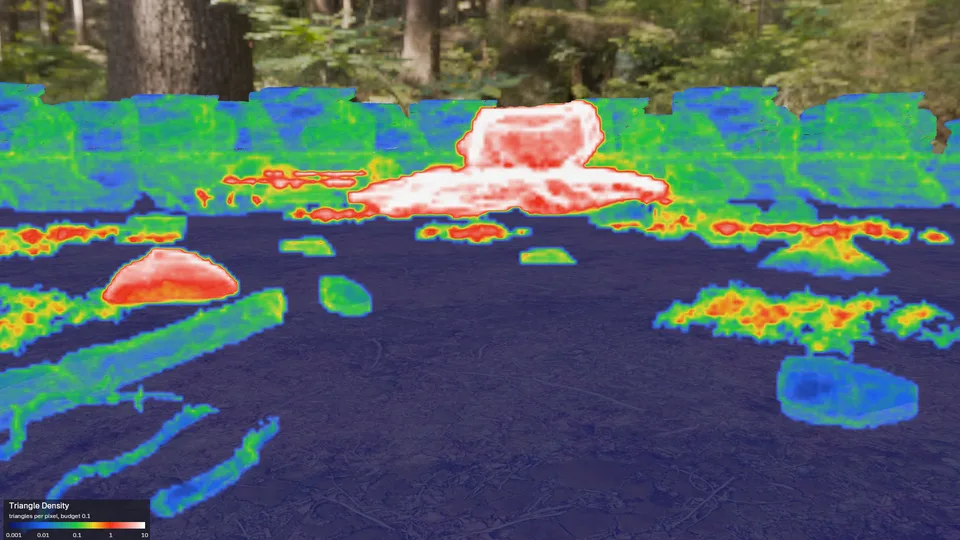
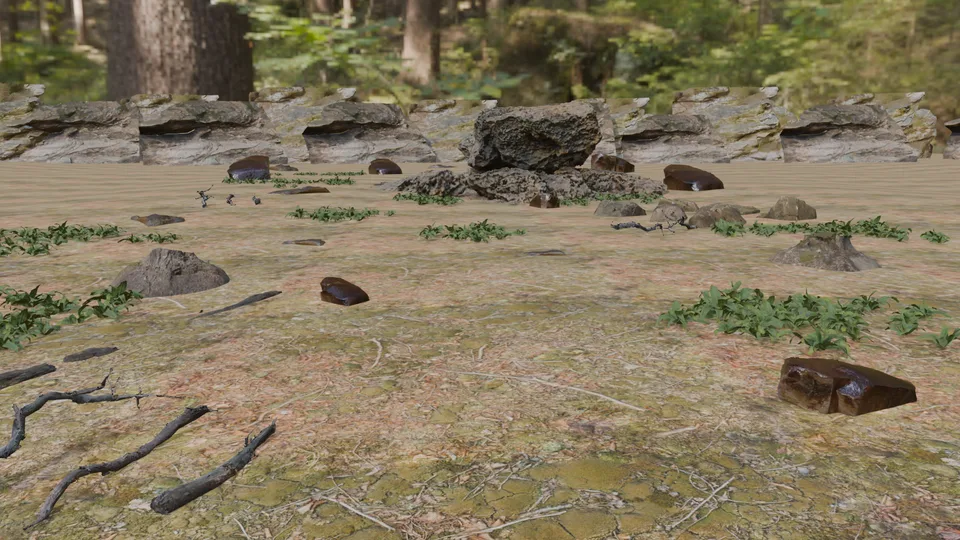
The forest path in Triangle Density: a raw rock scan far up the path glows white, a scanned stump on the left red, the game-ready rocks, log and ferns green and blue. The same forest path as Blender's viewport draws it in Material Preview: rocks, a log, ferns and a rock ridge under the trees. Triangle Density Viewport
Drag the line and pick a view. A forest path built as a game level, through the player's camera, with the Console budget.

The problem

Blender shows a scene’s polygon count, not where it costs

A scanned rock looks fine in Blender and still draws ten triangles on every pixel when it sits far from the camera. A fern drawn over five other ferns shades each pixel six times. The statistics overlay counts triangles for the whole scene, so it cannot tell you which of them hurt.

Game engines answer this with debug views. HeatmapPilot brings them into Blender’s viewport, so you fix the scene where you built it.

How it works

  1. Open View Mode in the 3D Viewport’s header and pick a view.
  2. In the sidebar’s HeatmapPilot tab, pick the Budget for your platform: Mobile, Console or PC.
  3. Read the colours: green is on budget, red is over it. Costliest Objects lists what to fix first.

What you get

A game engine’s view of your scene, in Blender

Six views

Triangle Density, Overdraw, Shader Complexity and Texel Density per pixel, and Triangles and Draw Calls per object.

Against your budget

The four views per pixel read against the targets of your platform. Pick a preset or save your own.

The costliest objects first

The sidebar lists the objects that cost the most in the view, with a button to select each one and one to zoom to it.

Your scene stays as it is

HeatmapPilot draws over the viewport and changes nothing in the file. Each viewport keeps its own view.

Coming soon to Superhive

Blender 5.3 or newer, on Windows, macOS and Linux.

Get started

A Pilot Studio add-on