
Budget
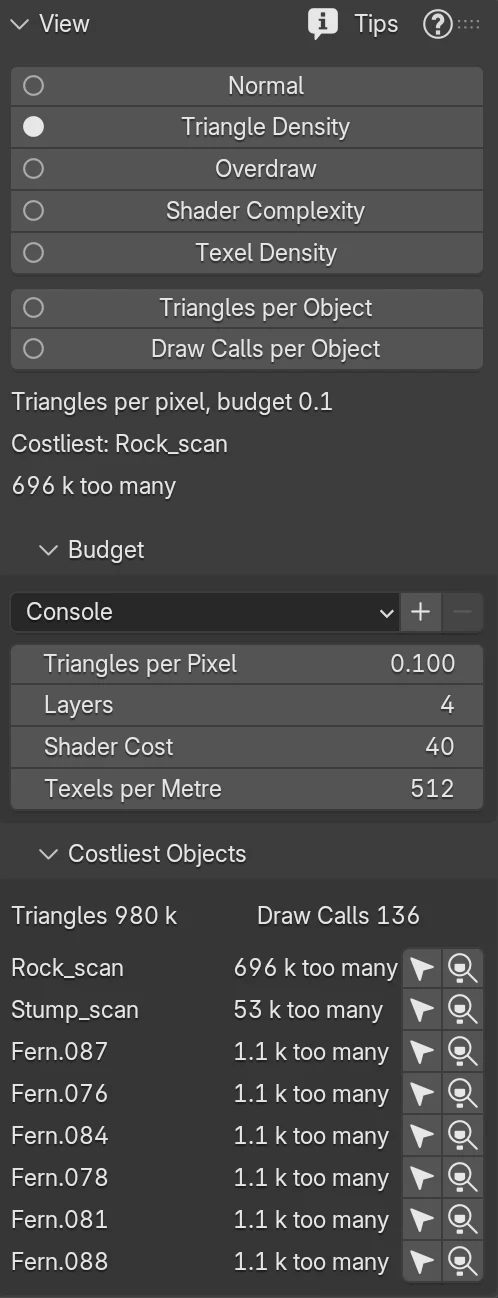
The budget sets what green means in each view. HeatmapPilot saves it with the scene, so each file keeps its own. It changes no Blender setting. You find it in the Budget panel of the sidebar’s HeatmapPilot tab.
Presets
Section titled “Presets”The menu at the top of the panel sets all four targets at once:
| Preset | Triangles per Pixel | Layers | Shader Cost | Texels per Metre |
|---|---|---|---|---|
| Mobile | 0.05 | 2 | 20 | 256 |
| Console | 0.1 | 4 | 40 | 512 |
| PC | 0.25 | 6 | 60 | 1024 |
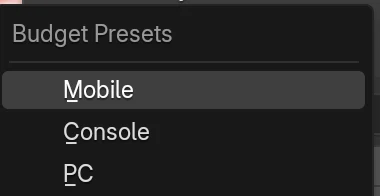
A new scene starts with Console. When you change a target by hand, the menu shows Custom.
To keep your own targets, click + and give them a name. Your preset is listed under the three above, in every file. To remove one of your own, pick it and click -. The three that come with HeatmapPilot stay.
Your presets are saved in Blender’s user scripts folder, under presets/heatmappilot/budget. If
Blender cannot write there, HeatmapPilot says so and keeps the targets you set.
Triangles per Pixel
Section titled “Triangles per Pixel”The triangles on one pixel that Triangle Density draws in green. Ten times more is red.
A tenth of a triangle per pixel means a triangle covers about ten pixels. Smaller triangles make the graphics card shade pixels it then throws away.
Layers
Section titled “Layers”The surfaces on one pixel that Overdraw draws in green. Twice as many are red, four times as many white.
Shader Cost
Section titled “Shader Cost”The estimated shading cost per pixel that Shader Complexity draws in green. Twice as much is red. A plain Principled BSDF costs about 12, an image texture 4, a noise texture 8 or more.
Texels per Metre
Section titled “Texels per Metre”The texels per metre of surface that Texel Density draws in green. Half as many are blue, twice as many red. A 1024 pixel texture on a 2 metre wall gives 512 texels per metre.